The Art and Science of 3D Skull SVG: A Complete Guide to Design, Creation, and Practical Use
If you have spent any time browsing digital art marketplaces, print-on-demand platforms, or tattoo design portfolios, you have likely encountered the striking visual of a 3D skull SVG. It is one of the most versatile and enduring motifs in modern graphic design — part anatomy, part icon, and part digital craftsmanship. But what exactly is a 3D skull SVG, and why has it become such a popular asset for designers, educators, content creators, and even hobbyists? This guide will take you from the very basics of SVG technology all the way to advanced applications, helping you understand not just how to use 3D skull SVGs, but also how they are made, why they matter, and how they fit into the larger landscape of digital creativity.
What Is an SVG? Understanding the Foundation
Before diving into the three-dimensional aspect, it helps to understand the underlying file format. SVG stands for Scalable Vector Graphics. Unlike raster images such as JPEGs or PNGs — which are made up of a fixed grid of pixels — SVGs are built with mathematical instructions: lines, curves, shapes, and colors described in XML code. This gives them a remarkable property: they can scale to any size without losing quality. A small SVG logo can be blown up to billboard size and remain perfectly crisp. For a 3D skull SVG, this means you can use a single file for everything from a tiny icon on a website to a large vinyl decal on a vehicle.
Because SVGs are code-based, they are also editable in text editors and design software alike. You can change colors, adjust layers, or even animate parts of the graphic using CSS or JavaScript. This flexibility makes the format a cornerstone of modern web design, digital fabrication, and print production.
What Makes a 3D Skull SVG Different from a Flat One?
A standard flat vector skull might show a simple silhouette or a set of outlines. A 3D skull SVG, however, uses shading, gradients, overlapping shapes, and perspective techniques to create the illusion of depth, volume, and realism. The "3D" effect is not true three-dimensional geometry (like a 3D model file from Blender or Maya), but rather a simulated three-dimensional appearance rendered in a two-dimensional vector format.
These designs often include:
- Gradients — smooth transitions between light and dark areas to suggest form and curvature.
- Overlapping layers — different parts of the skull (cranium, eye sockets, nasal cavity, teeth) are drawn as separate shapes that stack to create depth.
- Highlighting and shadowing — strategic placement of light and dark areas to mimic a light source.
- Isometric or perspective angles — a slight turn or tilt of the skull to give it a more lifelike, spatial feel.
Some advanced 3D skull SVGs even include multiple views (front, side, three-quarter) or interactive features when used in web contexts. But the core idea remains the same: take a timeless symbol and give it dimensional life using vector tools.
The Creative and Symbolic Appeal of the Skull
The skull carries deep and varied meanings across cultures. It can represent mortality, transition, protection, rebellion, or celebration — think of Dia de los Muertos sugar skulls, pirate flags, or motorcycle club insignias. In many ways, the skull is a blank canvas onto which designers project aesthetic and emotional themes. By rendering it in 3D, the designer adds realism and weight, making the symbol feel more substantial and immediate. This is why 3D skull SVGs are especially popular in streetwear logos, tattoo portfolios, horror-themed media, and even medical or educational illustrations.
How 3D Skull SVGs Are Created: Tools and Techniques
Creating a convincing 3D skull SVG takes skill, patience, and the right tools. Here is a breakdown of how designers typically approach it:
- Sketching the base shape — Even in digital work, most designers start with a rough sketch of the skull's proportions. The human cranium has a recognizable structure: a rounded top, prominent brow ridge, hollow eye sockets, a triangular nasal cavity, and a jawline with teeth.
- Tracing in vector software — The sketch is imported into a program like Adobe Illustrator, Inkscape (free and open source), or Affinity Designer. Using the pen tool, the designer traces the major contours as individual paths.
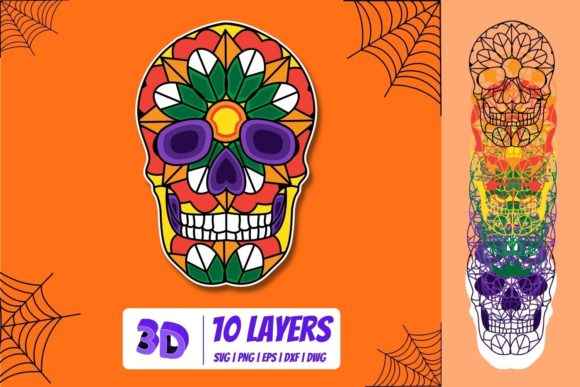
- Building layers — Each element of the skull is placed on its own layer. For example, the cranium might be one shape, the eye sockets another, and the shadows a third. This layered approach is what gives the SVG its "3D" feel when stacked.
- Applying gradients and shading — Linear and radial gradients are used to simulate light hitting curved surfaces. A dark gradient on the underside of the brow ridge, for instance, creates the illusion of shadow.
- Refining and exporting — Once the shading is complete, the designer cleans up overlapping nodes, optimizes the code for file size, and exports the final SVG. Some designers also add metadata or comments to the XML for accessibility or organization.
For those who are not designers but need a 3D skull SVG, there are thousands of ready-made assets available through marketplaces like Creative Market, Etsy, Freepik, and Vecteezy. Many are offered under commercial licenses, making them usable for merchandise, apparel, and branding.
Practical Applications: Where 3D Skull SVGs Shine
The beauty of a 3D skull SVG lies in its versatility. Here are some of the most common use cases:
Apparel and Merchandise Design
T-shirts, hoodies, hats, and patches featuring skull imagery are perennial bestsellers. With an SVG, a designer can easily scale the graphic to fit different product sizes without redrawing it. Because the format preserves transparency and crisp edges, it works perfectly for screen printing, heat transfer, and direct-to-garment printing. A well-shaded 3D skull SVG gives apparel a premium, almost embossed look even when printed in a single color.
Web and Digital Media
On websites, SVGs load fast and look sharp on retina displays. A 3D skull SVG can serve as a hero image, a logo mark, a navigation icon, or part of an interactive infographic. With a little CSS or JavaScript, the skull can even rotate, pulse, or change color on hover — adding a dynamic element to a page without heavy video files.
Print and Publishing
Flyers, posters, album covers, and zines often use skull motifs to convey a mood or message. The scalability of SVG means the same file can be used for a business card or a large-format poster without any loss of fidelity. Many print shops request vector files specifically, and SVG is one of the most widely accepted formats.
Educational and Medical Illustration
Believe it or not, accurate 3D skull SVGs are used in anatomy classrooms, medical textbooks, and dental training materials. When precise yet lightweight graphics are needed, vector-based skulls with labeled parts can be an excellent alternative to heavy 3D models. They are easy to modify, annotate, and embed into slide presentations or online courses.
DIY and Craft Projects
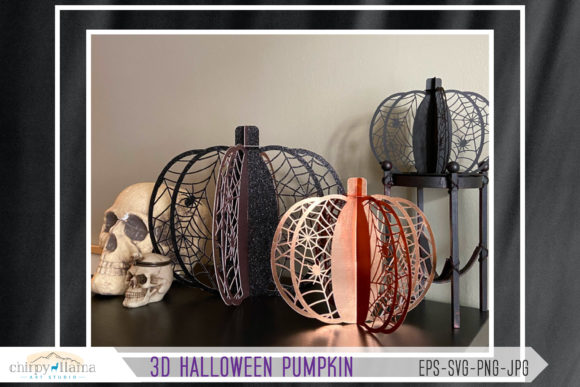
With the rise of hobbyist cutting machines like Cricut and Silhouette, SVGs have become a staple of home crafting. A 3D skull SVG can be cut from vinyl, cardstock, leather, or wood veneer to make decals, stencils, greeting cards, and home décor. Many crafters look for SVGs with clean paths and reasonable complexity — not so simple that it looks flat, but not so intricate that it fails to cut cleanly.
Common Misunderstandings About 3D Skull SVGs
Because the term "3D" can mean different things in different contexts, it is worth clearing up a few points of confusion:
- It is not a 3D model. An SVG is always a flat 2D file. You cannot rotate a 3D skull SVG in space like you can with an STL or OBJ file. What you get is a fixed perspective (usually front-facing or slight angle) with shading that tricks the eye into seeing depth.
- Not all 3D skull SVGs are high quality. Some are hastily traced from photographs or low-resolution images, resulting in messy paths, excessive node counts, or unconvincing shading. A good 3D skull SVG should have smooth curves, logically named layers, and a balanced contrast between light and shadow.
- Color matters a lot. While many 3D skull SVGs are designed in black, white, and gray to emphasize shading, color versions exist and can be striking. However, when printing or cutting, remember that gradients may need to be simplified for single-color production.
- Licensing is not universal. Always check the license of any SVG you download. Some are free for personal use, others require attribution, and many paid files come with commercial rights. Using a skull SVG designed by someone else for your product line without proper licensing can lead to legal issues.
How to Choose or Evaluate a 3D Skull SVG
Whether you are buying or creating, here are a few criteria to keep in mind:
- Path simplicity — Fewer nodes mean smoother scaling and easier editing. Open the file in a viewer or editor to inspect the paths.
- Layer organization — Well-named layers (e.g., "cranium," "left eye socket," "highlight layer") make it easier to customize colors or hide elements.
- Shading quality — The 3D effect should come from gradient fills or multiple layered shapes, not just a single heavy filter. Gradients should feel natural to the skull's form.
- Resolution independence — Since it is SVG, it should look crisp at any size. If a preview image appears pixelated, the file may not be a true vector.
- Compatibility — Most design software opens SVG, but some older or overly complex SVGs can cause issues. Test the file in your intended application before committing to a large project.
The Future of 3D Skull SVGs and Vector Art
As design tools become more accessible and AI-assisted vector generation improves, creating realistic 3D-effect vectors is no longer reserved for expert illustrators. Even beginners can now generate a basic 3D skull SVG with online tools or by tracing a photograph and applying automatic shading. That said, the skill of a human designer — in understanding anatomy, lighting, and composition — still sets apart a truly compelling skull graphic from a mediocre one.
Moreover, the line between 2D and 3D continues to blur. Some platforms now allow SVGs to be used as textures or decals on 3D models, merging the two worlds. In the near future, we may see more interactive SVGs where a user can drag to view a skull from different angles — essentially a lightweight 3D viewer built on SVG and JavaScript.
Conclusion: A Timeless Symbol, Rendered for the Modern Age
The 3D skull SVG is far more than a trendy graphic. It is a testament to how traditional symbols can be reinvented through modern technology. Whether you are a designer looking to add a striking piece to your portfolio, a business owner seeking a bold logo, a teacher illustrating anatomy, or a crafter working on your next project, understanding the strengths and limitations of this format will help you use it effectively.
By grasping the basics of SVG technology, the artistry behind 3D shading, and the practical considerations of scale and licensing, you are now equipped to choose, create, or customize your own 3D skull SVG with confidence. The next time you see one on a t-shirt, a website, or a poster, you will appreciate the care and craftsmanship behind those apparently simple lines and gradients — and you might just be inspired to create one yourself.