Mastering 3D Black Cat SVG: A Practical Guide for Creators and Entrepreneurs
If you have ever searched for digital designs, you have likely encountered the allure of a 3D black cat SVG. These files promise depth, personality, and a modern edge to any project, whether you are crafting stickers, building a brand logo, or designing seasonal decor. Yet, what often starts as an exciting download can quickly turn into a frustrating experience if you are not aware of certain details. Many people jump in without understanding how these files work, leading to wasted time, poor prints, or designs that fall flat. This guide is here to help you navigate the selection and use of 3D black cat SVG files with confidence, avoiding common missteps and getting the most out of your creative efforts.
What Exactly Is a 3D Black Cat SVG?
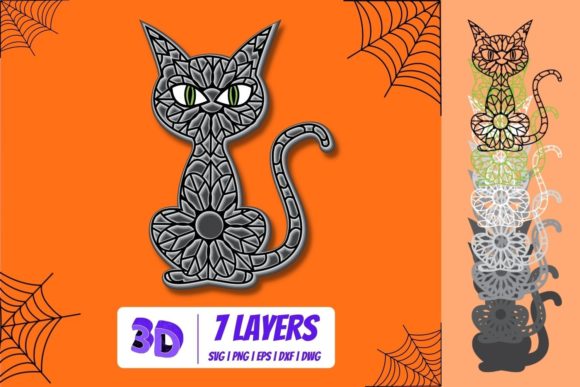
A 3D black cat SVG is a scalable vector graphic that simulates three-dimensional effects through layered shapes, gradients, shadows, and highlights. Unlike simple flat icons, these SVGs use multiple elements to create the illusion of depth, making the cat appear to pop off the page or screen. They are popular for Halloween projects, gothic themes, pet lover merchandise, and even branding for cat-themed businesses. Because SVGs are resolution-independent, they can scale from a tiny icon to a billboard without losing quality, which is a major advantage over raster images. However, the 3D effect introduces complexities that do not exist in standard vector art. Understanding those complexities is where many users encounter problems.
Common Mistakes When Choosing a 3D Black Cat SVG
One of the most frequent errors is assuming all 3D SVGs are created equal. A file labeled as 3D may simply have a few overlapping shapes with no real depth, or worse, it may rely on embedded raster textures that break when resized. Another mistake is overlooking the intended use. A 3D black cat SVG designed for large signage may have dozens of layers that become muddy when scaled down for a small sticker. Conversely, a minimalist 3D cat might look flat when blown up on a poster. Many users also neglect to check whether the file is properly grouped or if the layers are named logically, which can make editing in software like Inkscape or Adobe Illustrator a nightmare. Let us break down these pitfalls so you can avoid them.
Mistake 1: Selecting Files with Poorly Constructed Layers
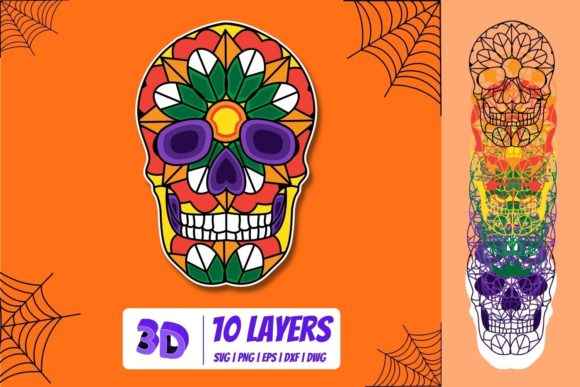
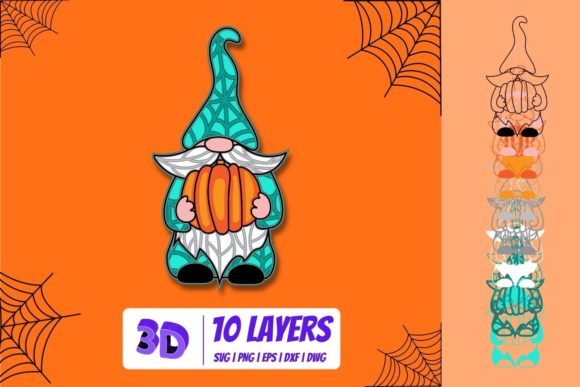
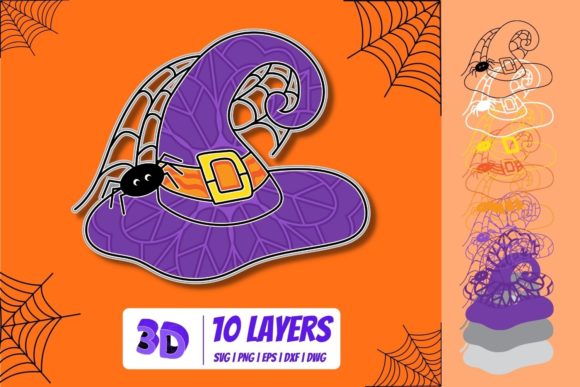
A true 3D effect depends on careful layering, where each element builds on the previous one to create shadow, light, and contour. If the shapes are not precisely aligned or if the layers use harsh outlines instead of smooth gradients, the result looks clunky rather than dimensional. For example, a black cat SVG might have a base shape, a body shadow layer, and an eye highlight layer. When poorly executed, these layers can separate during scaling or printing, revealing gaps or overlapping lines that ruin the illusion. To avoid this, always preview the file at different sizes and look for clean seams. High-quality files often include a screenshot or demonstration of the layers. If the seller or source does not provide this, ask for a closer look. Better yet, download from reputable marketplaces that require designers to meet quality standards.
Mistake 2: Ignoring File Compatibility and Editing Needs
SVG files are standard for vector graphics, but not all software handles 3D effects the same way. Some programs flatten gradients or ignore shadow layers, leaving you with a flat silhouette instead of the intended 3D cat. If you plan to edit the design, such as changing the cat’s posture or color, you need a file that retains its structure. Many users download a 3D black cat SVG only to find that the shadows are locked into a single color or that the highlight layers are merged into one shape. Before downloading, check whether the file is fully editable. Look for descriptions that mention grouped layers, separate shadow shapes, or customizable colors. For professional work, consider files created with vector software that uses non-destructive effects, such as SVG with embedded CSS for gradients. Testing the file in your design tool before purchasing is ideal, though not always possible. When in doubt, opt for a sample pack or a low-cost trial version.
Mistake 3: Overcomplicating the Design for Your Project
A detailed 3D black cat SVG with fur textures, multiple light sources, and intricate whiskers can be stunning, but it may not suit every application. For small-scale projects like pins, keychains, or website icons, excessive detail becomes noise. Fine lines may not reproduce during cutting or heat transfer, and shadows can blend into a blur. Conversely, a very simple 3D cat with only two or three layers might look too flat for a large poster. The key is matching the complexity to the medium. For instance, if you are making a decal for a laptop, choose a file with bold shapes and clear separation between layers. If you are designing a screen print, limit the number of colors by selecting a 3D black cat SVG that uses shading through size and placement rather than multiple tints. Always test a small version first before committing to a large batch.
How These Mistakes Affect Your Results
The consequences of these errors range from minor annoyances to significant losses. A poorly layered 3D cat can waste hours of editing time as you try to fix gaps or reorder elements. It can also increase production costs if you have to reprint items because the design looks flat or pixelated. For entrepreneurs, a subpar SVG can harm brand credibility. If a customer receives a sticker where the cat’s eye highlight is misaligned, they may perceive the entire brand as amateurish. Hobbyists might get discouraged, thinking vector art is too difficult, when the real issue is a bad file. Quality matters, and taking a few extra minutes to evaluate a 3D black cat SVG can save days of frustration.
Practical Advice for Choosing and Using 3D Black Cat SVGs
To get the best results, start by identifying your primary use. Are you designing for a digital screen, for print, or for a craft project? Each medium has different requirements. For print, look for SVGs that use layered shapes rather than transparency, as some print drivers do not handle alpha channels well. For digital use, such as a website graphic or social media post, check that the file size is optimized—large files with many objects can slow down page loading. Next, inspect the file for clean geometry. Open the SVG in a text editor or vector software and look for overlapping nodes, duplicate points, or stray lines. A well-constructed 3D black cat SVG will have tidy paths that snap together without gaps. If you are not comfortable editing vectors, choose files that are ready to use out of the box, often labeled as cut-ready or print-ready.
Another useful habit is to collect a library of reference files. Save a few high-quality 3D black cat SVGs that you know work well, and compare new purchases against them. This helps you develop an eye for good layer structure and color balance. Also, consider the source. Designers who specialize in vector art often provide detailed previews and clear licensing information. Avoid files from unknown sources with no reviews or samples. Many platforms allow you to filter by rating and number of downloads, which is a reliable indicator of quality. When in doubt, reach out to the creator. Most are happy to answer questions about their workflow.
What to Check Before You Download or Buy a 3D Black Cat SVG
Before you click the buy button or hit download, run through this quick checklist:
- Preview thoroughly: Look at the design at multiple sizes, ideally 100% and 200%, to see if the 3D effect holds up.
- Check layer names and groups: If the description mentions editable layers, verify that they are separated and labeled logically.
- Read the license: Commercial use often requires a special license. If you plan to sell products with this cat, ensure you have the rights.
- Test compatibility: Download a free sample or a similar file to see how your software handles the specific shading technique used.
- Look for quality indicators: High-quality SVGs often include a note about being created in a professional vector tool, with no raster elements.
Taking these steps may seem like extra work, but it prevents the disappointment of a file that does not perform. Many experienced designers maintain a strict policy of never using a file they have not tested at full scale in their intended application.
Better Approaches for Specific Scenarios
Let us consider a few realistic examples. A small business owner creates custom tumblers and wants a 3D black cat design. Instead of buying the most detailed file, they choose one with three distinct layers: a base cat shape, a shadow layer for depth, and a highlight layer for sheen. This simplifies the vinyl cutting process and ensures clean weeding. A blogger designing a Halloween-themed infographic opts for an SVG where the cat’s eyes glow using a gradient, rather than a complex overlay, keeping the file lightweight for fast load times. A freelancer making a logomark for a cat rescue integrates a 3D cat SVG that uses subtle curves instead of sharp angles, which communicates softness and approachability. In each case, the choice of file directly supports the end goal.
Another better approach is to customize the SVG yourself. If you find a 3D black cat that is almost perfect but the colors are wrong, adjust them. In vector software, you can often change the fill and stroke colors of individual layers. Just be careful not to merge layers meant to stay separate. If the shadows are too dark or the highlights too bright, tweak the opacity. Small changes can dramatically improve how the 3D effect reads in your specific project.
Final Considerations for Long-Term Success
Using 3D black cat SVGs effectively is about understanding both the art and the technology. Files labeled as 3D are not magic; they are carefully constructed sets of shapes. By learning to evaluate layer quality, file structure, and usage context, you skip the steep part of the learning curve. Whether you are a hobbyist making gifts or an entrepreneur building a brand, these skills save time and money. Treat each download as an opportunity to refine your eye for good vector design. Over time, you will quickly spot which SVGs are worth your investment and which ones will cause headaches. The goal is not to avoid all mistakes—everyone makes them—but to make the same mistakes only once. Start with a clear plan, test before you commit, and choose quality over quantity. Your projects will thank you, and your audience will notice the difference between a cheap flat image and a well-crafted 3D black cat SVG that truly stands out.