Choosing a 3D Watermelon SVG Cut File: What to Consider Before You Download
When you browse craft marketplaces or design resource libraries, the variety of SVG files available can be overwhelming. Among the most popular motifs, the watermelon stands out for its bold colors and seasonal appeal. A 3D Watermelon SVG Cut File offers a unique twist on the classic flat design, but it is not simply a decorative image. It is a layered, dimensional project that requires a slightly different approach to both selection and assembly. Understanding what makes these files distinct, and how they compare to other SVG formats, can help you choose the right resource for your next craft or design project.
What defines a 3D Watermelon SVG Cut File
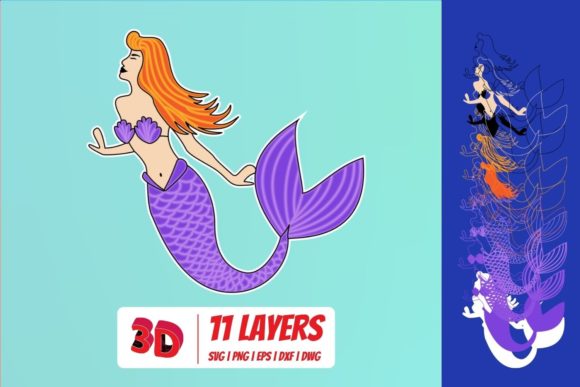
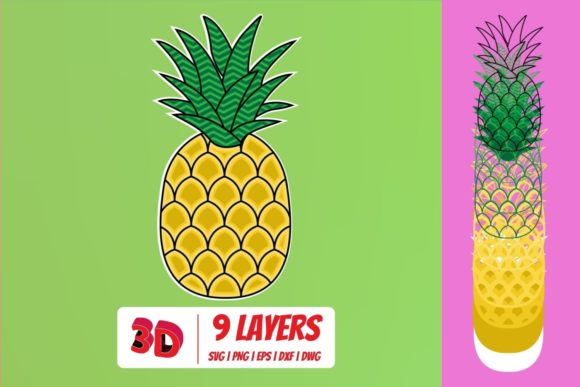
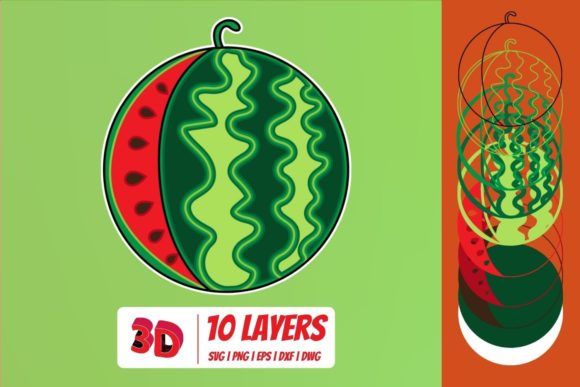
A 3D Watermelon SVG Cut File is a vector-based design that is intentionally divided into multiple layers. Each layer represents a different depth or element of the watermelon, such as the outer rind, the lighter inner rind, the red flesh, and the seeds. When these layers are cut from materials like cardstock, vinyl, or chipboard and stacked on top of one another, they create a raised, three-dimensional appearance.
This is fundamentally different from a standard flat SVG, which prints or cuts a single outline of the image. With a 3D file, you are not just cutting a shape; you are assembling a dimensional piece. The files are typically organized with separate layers that correspond to specific depths. Some versions include a shadow layer or a backing layer to give the object a more pronounced depth effect. The result is a tactile project that looks like it pops off the page or surface.
The level of detail in these files can vary significantly. Some designs feature just a few layers, while more elaborate versions may include many pieces that simulate highlights, shadows, and even a textured interior. This makes the 3D Watermelon SVG Cut File particularly appealing for scrapbooking, greeting cards, wall art, and decorative home accents where you want the subject to feel more realistic or dimensional.
How 3D SVG files compare with flat and layered alternatives
When you evaluate a 3D Watermelon SVG Cut File, you will notice that it sits in a specific niche between two other common formats: the standard flat SVG and the multi-layer papercraft SVG that is not necessarily designed for 3D stacking.
Flat SVGs
A flat SVG is a single-layer design. It is ideal for projects where you need a clean silhouette, such as iron-on transfers for shirts, simple wall decals, or single-color cutouts. Flat files are quick to cut and require no assembly. However, they lack the depth and visual interest that a 3D file provides. If you are making a simple tote bag or a one-color sign, a flat watermelon SVG is perfectly adequate and more efficient. The tradeoff is that you sacrifice the layered, sculptural quality that many crafters enjoy.
Standard layered SVGs (not 3D)
Some layered SVGs separate a design into multiple colors for print-and-cut or for stacking, but they are not optimized for creating a physical depth effect. For example, a standard layered SVG might separate the watermelon into the rind and the flesh simply for color separation in a multi-color vinyl project. In contrast, a 3D Watermelon SVG Cut File is designed with actual depth in mind. The layers are sized and spaced so that when they are adhered together using foam squares or other adhesives, the top layers sit physically above the bottom layers. This is not just about color; it is about creating a raised, shadowed final look.
This distinction matters for your material usage and assembly time. A true 3D file usually requires foam adhesive, careful alignment, and multiple cuts. A standard layered SVG may only require you to cut and press the pieces flat, side by side.
Strengths of choosing a 3D watermelon design
Opting for a 3D Watermelon SVG Cut File brings several practical benefits that go beyond aesthetics.
- Visual impact: The raised layers catch light and create shadows, making the final piece stand out far more than a flat image. This is especially effective on cards, gift tags, or framed art where you want the design to feel substantial.
- Engagement: The assembly process itself can be rewarding. Many crafters enjoy the step-by-step stacking and the satisfaction of seeing the image come to life. It adds a tactile dimension to your project that flat designs cannot match.
- Material versatility: While cardstock is the most common material, you can also use felt, craft foam, or even thin wood veneer with these files. The layered structure accommodates different material thicknesses, provided you adjust your cutting settings accordingly.
- Customizability: Because the file separates the elements into defined layers, you can easily change the color of a specific layer without affecting the whole design. Want a yellow watermelon instead of red? Simply swap the color of the flesh layer in your software before cutting.
Tradeoffs and limitations to keep in mind
No single file format works perfectly for every situation, and the 3D Watermelon SVG Cut File has certain limitations that may make it less ideal for some users.
Assembly time. A 3D project takes longer to complete. You need to cut each layer separately, apply adhesive, and carefully align the pieces. If you are producing large quantities or working with a tight deadline, a flat SVG will be far more efficient.
Material consumption. Because each layer is cut from a separate piece of material, you use more cardstock or vinyl compared to a single-layer design. This can increase your material costs, especially if you are using premium or specialty papers.
File complexity. Some 3D SVG files are poorly constructed. The layers may not align correctly, or the depth spacing may be inconsistent. It is important to check user reviews and preview images carefully before purchasing or downloading. A well-made file will include clear instructions and test cuts. A poorly made one can lead to frustration and wasted materials.
Machine requirements. Cutting multiple layers for a single design means more wear on your cutting mat and blade. You also need to be comfortable with changing settings for different materials if you mix cardstock with foam or vinyl.
When a 3D watermelon SVG is the right choice
Consider a 3D Watermelon SVG Cut File when your project calls for a focal piece that draws the eye. If you are making a birthday card for a summer celebration, a dimensional watermelon slice on the front creates a memorable tactile element that flat printing cannot replicate. Similarly, for home decor pieces like a framed summer sign or a layered wall art panel, the depth of a 3D design adds a handmade, premium feel.
These files also work well for gifts. A handmade card or ornament with a popped-out watermelon design shows extra effort and thought. If you are a designer selling finished craft products, the dimensional look can justify a higher price point because the final product appears more elaborate.
Another scenario where a 3D file excels is in educational or classroom settings. The assembly process can teach children about layers, depth, and sequencing. The clear separation of parts makes it easy for kids to understand how a two-dimensional drawing becomes a three-dimensional object.
When you may be better off with a different option
If you are new to using cut files, a multi-layer 3D design might be overly ambitious at first. Flat SVGs or simple layered files that do not require stacking are a better starting point. They let you practice loading materials, adjusting blade depth, and basic weeding without the extra challenge of alignment and foam adhesive.
For projects that will be seen from a distance or that need to be durable and washable, such as a tote bag or a T-shirt, a flat vinyl application is more practical. Raised layers on fabric can catch on things or peel off over time. In these cases, a standard watermelon SVG that cuts a single color or a simple layered design that is pressed flat will perform better.
Similarly, if you are producing items in bulk for a market or event, the extra time required for assembly makes the 3D file inefficient. Flat designs or print-and-cut approaches will allow you to scale up production without sacrificing consistency.
Key decision factors when evaluating a 3D Watermelon SVG Cut File
To make a well-informed choice, consider these elements before you commit to a particular file.
- Layer count and depth: How many layers does the design include? More layers generally mean more depth and detail, but also more cutting and assembly time. A 3D file with three to five layers is often a good balance for most projects.
- Alignment guides: Does the file include registration marks or a base layer that helps you align the pieces? Without these, stacking can become guesswork. Look for files that provide a guide or clearly explain the stacking order.
- Material recommendations: The ideal file will suggest paper weights or types for each layer. Thinner paper for the top layer and sturdier cardstock for the base helps the structure hold up.
- Compatibility: Ensure the file format works with your cutting machine and software. Most 3D SVGs are compatible with Cricut, Silhouette, and similar machines, but the layer separation should be clear in the file itself.
- Included instructions: A well-documented file includes notes on cut settings, assembly order, and tips for adhesive thickness. This is especially valuable if you are new to 3D projects.
Comparing quality across sources
Not all 3D Watermelon SVG Cut Files are created equal. Independent designers on platforms may offer highly detailed, tested files with thorough instructions. Larger resource sites might provide more generic versions that are simpler but also less refined. When evaluating a file, look at user photos of finished projects. These show how the layers align in real life, not just in the mockup. Discrepancies between the preview image and actual user results are a red flag.
Also consider whether the file includes both cut and print-then-cut versions. A print-then-cut option can reduce the number of cuts you need if you are comfortable printing on cardstock and then cutting the outer shape. This can save time on projects where the interior details are printed rather than cut separately.
Practical examples of use
Imagine you are creating a summer-themed scrapbook page. A flat watermelon sticker works, but a 3D watermelon slice layered on the page adds a pop-up effect that makes the photo stand out. You could use a 3D Watermelon SVG Cut File to cut the layers from light green, dark green, white, and red cardstock, then stack them with foam tape. The seeds can be a separate thin layer or printed on the red layer, depending on the file design.
For a home decor project, consider a layered watermelon sign for a kitchen or a summer porch. A 3D file with a sturdy backing and a shadow layer creates a piece that looks like a custom wood carving but is made from lightweight cardstock. By choosing a file with a simple overall shape, you can scale it up to a large size without losing detail.
If you are preparing a gift for a teacher or a hostess, a 3D watermelon card is both personal and impressive. The dimensional element makes the card feel like a small keepsake rather than something that will be tossed aside. In these cases, the extra assembly time becomes part of the handmade value.
Making your final decision
The right choice ultimately depends on your project goals, your skill level, and the time you are willing to invest. A 3D Watermelon SVG Cut File is a fantastic resource when you want a finished piece that looks sculpted, detailed, and visually rich. It adds depth in a way that flat designs cannot replicate, and the process of building the layers can be as satisfying as the final result.
However, if you prioritize speed, simplicity, or durability, a flat SVG or a standard layered design will serve you better. Keep in mind the tradeoffs regarding material use, assembly time, and file quality. By being selective about the file you choose and understanding what makes a 3D design different from other formats, you can confidently decide whether this style of cut file fits your current project or if another approach is a better match for your needs.