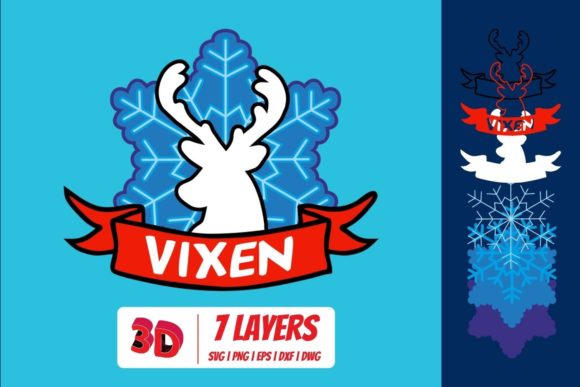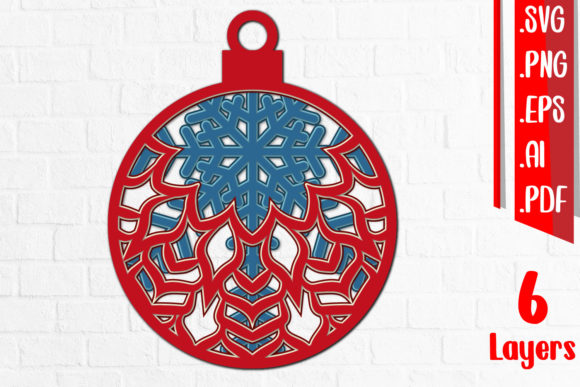
3D Christmas Ball Layered Cut Files
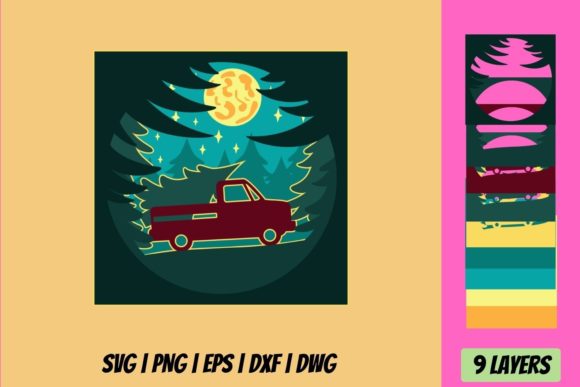
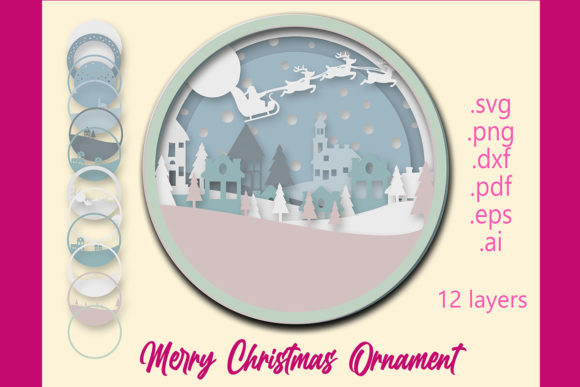
If you have spent any time browsing craft marketplaces or scrolling through maker communities during the holiday season, you have likely come across something called a 3D Christmas Ball Layered Cut File. At first glance, it looks like an intricate paper ornament with depth, shadow, and dimension. But behind that finished piece lies a carefully designed digital pattern meant for cutting machines like Cricut, Silhouette, or Brother ScanNCut. These files contain multiple layers of shapes that, when cut from cardstock or other materials and assembled one on top of another, create a three-dimensional spherical decoration.
The result is something that feels both handcrafted and precise. Each layer adds a new plane of detail, so the final ornament has a sculptural quality that flat paper crafts simply cannot match. Whether you are new to the craft or have been designing projects for years, understanding what these files offer and how they might fit into your creative toolkit can make a real difference in what you choose to make and how you go about it.
A file with multiple purposes
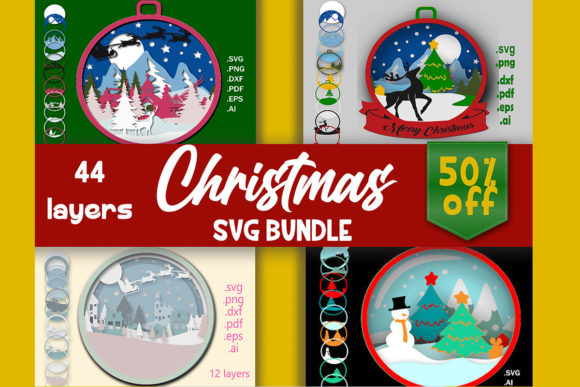
These cut files are essentially templates. They come as SVG, DXF, or PDF files, depending on the seller and compatibility with your machine. The layers are nested inside one another, often with a base shape, several interior rings of pattern or texture, and a top piece that completes the ball. Some designs are geometric. Others feature snowflakes, reindeer, nativity scenes, or abstract winter motifs. What unites them is the layered construction that gives the final piece its depth.
For someone who loves holiday decorating, these files offer a way to create ornaments that look store-bought but feel personal. For a small business owner or freelance maker, they can become part of a product line sold at craft fairs or online shops. For an educator, they can serve as a hands-on lesson in spatial reasoning and assembly sequencing. The same digital file can be used very differently depending on who opens it.
What beginners should know before starting
If you are new to working with layered cut files, a 3D Christmas Ball design is a surprisingly accessible place to begin. The assembly is usually straightforward because the layers are numbered or color-coded. You cut each piece, stack them in order, and attach them with adhesive. Many designers include written instructions or video tutorials as part of the purchase.
That said, there are a few things to watch for. The number of layers can range from four to more than a dozen. A ball with fewer layers is faster to cut and easier to assemble, making it ideal for a first attempt. Beginners also benefit from designs that use simple shapes rather than very thin, intricate cut lines, since those can be harder to remove from the mat without tearing. Start with a design that offers a good balance of visual impact and practical assembly. You can always move to more complex patterns once you feel comfortable with weeding, layering, and aligning the pieces.
Cost is another factor. Many high-quality cut files are available for a few dollars, and some designers offer free starter files to help you test the process before committing to a purchase. For a beginner, testing a free or low-cost file first is a smart way to learn without pressure.
Experienced users and creative flexibility
For those who have been cutting and assembling layered projects for a while, a 3D Christmas Ball file becomes less about learning the basics and more about customization. You might swap out the recommended colors for your own palette, mix patterned cardstock with solid tones, or add extra embellishments like glitter, foil accents, or tiny LED lights inside the ball.
Experienced makers also tend to evaluate files differently. They look at the quality of the vector paths. Are the lines clean and free of unnecessary nodes? Do the layers interlock cleanly or does the alignment require manual adjustment? These details affect how smoothly the project comes together and how professional the final ornament looks. A file that might frustrate a beginner due to tight tolerances can be exactly what an experienced user wants, because it produces a crisp, detailed result.
Flexibility matters too. Some layered ball designs include a removable top so you can insert a photo or a small keepsake inside. Others are designed to be hung as singles or grouped on a garland. If you plan to produce multiple ornaments for a holiday display or for sale, you will likely prioritize files that cut cleanly across different materials and that can be resized without losing integrity.
Different priorities for different projects
It is worth taking a moment to consider what you actually need from these files, because the best choice depends heavily on your goal.
Speed and reliability for makers and sellers
If you are creating ornaments to sell, time is a real constraint. You want files that cut quickly, waste as little material as possible, and assemble without guesswork. A design with ten layers might look stunning, but if each ornament takes twenty minutes to assemble, you will struggle to produce enough inventory for a weekend market. Smaller files with fewer layers can still look beautiful, especially when you use high-quality cardstock with a nice finish. Some sellers also prefer files that include a matching backing piece or a loop for hanging, so they do not have to improvise a finishing step.
Reliability also means knowing the file will work across different machines and software versions. Designers who test their files on multiple platforms and offer customer support add real value for anyone using the files commercially. If you are a small business owner, you may also care about the commercial use license. Some files come with a license that allows you to sell finished products, while others strictly limit use to personal projects. Always check the terms before buying if you plan to sell.
Learning value and classroom use
Educators and homeschool parents sometimes use layered cut files as teaching tools. A 3D Christmas Ball project can help students practice following sequential instructions, develop fine motor skills, and understand how 2D shapes assemble into 3D forms. For this use, the clarity of the instructions matters more than the complexity of the design. A file that clearly labels each layer and provides visual assembly cues reduces frustration and keeps the focus on learning.
It helps to choose a design where layers are not too similar in shape, so students can easily distinguish between them. Files that use contrasting colors or include simple patterns also make it easier to see how each layer contributes to the final piece. Depending on the age of the students, you might also look for designs with fewer layers to keep the project manageable in a single class session.
Creativity and personal expression for hobbyists
For many hobbyists, the real joy of working with 3D Christmas Ball cut files is the chance to make something that reflects personal taste. You might enjoy mixing unexpected colors, adding hand-drawn details, or combining elements from different files to create a unique ornament. The layered construction lends itself well to experimentation. You can use vellum for one layer to create a soft diffused look, or metallic cardstock for another to add shimmer.
Hobbyists also appreciate variety. A single file can be used to make a whole set of ornaments simply by changing the paper. You might make one with classic red and green, another in icy blue and silver, and a third in neutral kraft tones for a more rustic feel. Because the file itself is reusable, the creative possibilities stretch far beyond the first project.
Evaluating quality before you buy
With so many designers offering layered cut files, it helps to have a way to evaluate them before you download. Look at the preview images carefully. Do the layers look well aligned? Are the cuts shown on the finished piece consistent, or do there seem to be gaps between layers? Reviews from other users can also tell you whether the file cuts cleanly on specific machines.
File quality also shows up in the details. A well-made file will have layers that fit together without forcing. The shapes will have smooth curves rather than jagged edges when zoomed in. If the file includes score lines for folding, those should be clearly marked. Good designers also provide a test cut file so you can check alignment before cutting the full project. That kind of consideration saves material and frustration.
Long-term usefulness is another angle worth considering. A file you can resize, recolor, and reuse across multiple seasons becomes far more valuable than a one-time project. Some designers offer bundle packs with multiple ball designs or matching embellishments, which can be a cost-effective way to build a library of options.
Matching the file to your skill level and goals
The easiest way to decide whether a particular 3D Christmas Ball layered cut file matches your needs is to ask yourself a few straightforward questions. How much time do you want to spend on each ornament? Are you making one for yourself, a set for your home, or a batch for an event? How comfortable are you with weeding small pieces and aligning multiple layers? Do you prefer a very detailed sculptural look or something simpler and faster to assemble?
A beginner making a single gift might want a file with five to seven layers and clear visual instructions. An experienced maker producing twenty ornaments for a craft fair might choose a design with four or five bold layers that cut quickly and assemble easily. An educator working with a classroom full of students might look for a file with numbered layers and a simple assembly sequence. And a hobbyist exploring creative techniques might pick a more complex file specifically for the challenge and the satisfaction of mastering it.
None of these approaches is better than another. They simply reflect different priorities. The layered cut file itself is flexible enough to serve all of them, as long as you choose wisely with your own context in mind.
Practical value beyond the holiday season
It is worth noting that the skills you build by working with these files do not disappear when the holidays end. Learning to align multiple layers, choose compatible materials, and troubleshoot cutting issues transfers to other layered projects like shadow boxes, cards, and gift tags. The file itself can also be adapted for non-Christmas use if you modify the colors and omit overtly seasonal elements. Some designers create winter-themed balls that work from November through February without being tied exclusively to Christmas.
For entrepreneurs, the commercial value extends beyond ornament sales. You can use the same file to create content for social media tutorials, offer finished products in different colorways, or even teach a workshop using the file as a project pattern. The initial purchase of a well-designed file can support multiple revenue streams if you take advantage of the license terms.
For consumers who simply want unique decorations, these files offer a way to own something that was made with intention. The layered effect catches light differently than a flat printed ornament, and the handmade quality stands out against mass-produced alternatives. Whether you gift them, sell them, or keep them for your own tree, the finished ornaments carry a sense of care that goes beyond what a store shelf can offer.
Understanding what a 3D Christmas Ball Layered Cut File actually is and how it fits different creative lives makes it easier to choose the right design for your next project. The depth of the finished piece starts with the quality of the file you choose and the thought you put into assembling it.